Meet the Reporting Hub

A new, simpler way to see how pupils are getting on in Doodle. 

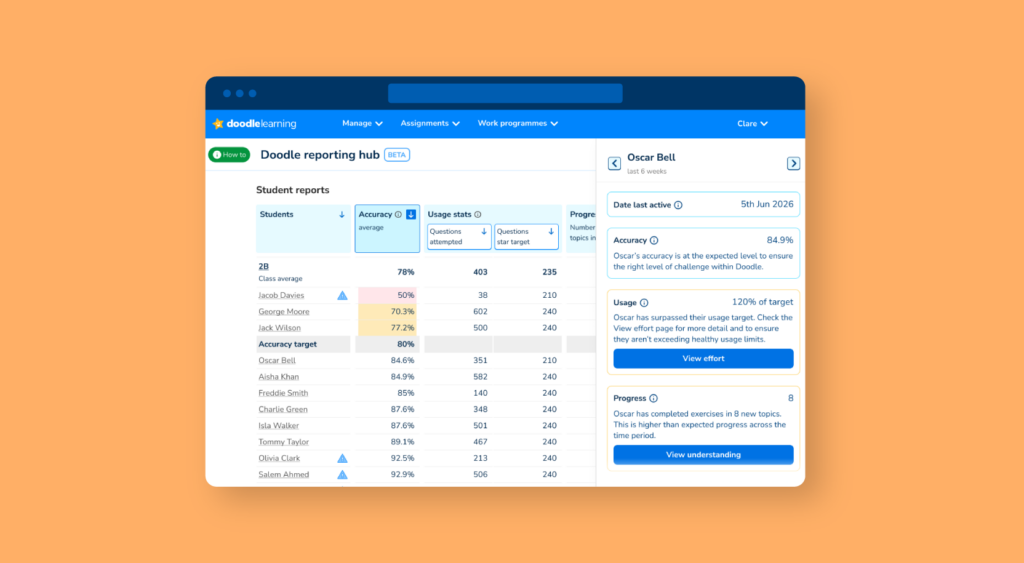
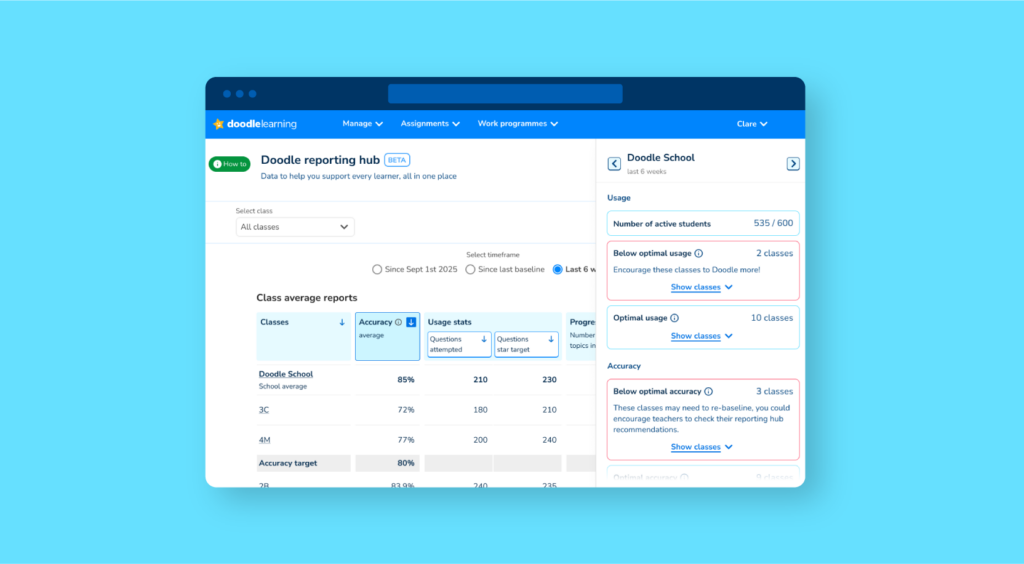
The Reporting Hub brings key insights together on one page, so you can quickly understand engagement, accuracy and progress across your class or school. 

Author

Sophie Withey,
Curriculum & Instruction Manager

Published:

June 2026

Key takeaways

The Reporting Hub gives you a single-page view of how pupils are using Doodle and how that’s translating into progress. 

In one place, you can see how much effort pupils are putting in, how accurately they’re working, how far they’re progressing through the curriculum, and where they sit against end-of-year expectations. 

It’s designed to help you understand what’s happening quickly and feel confident acting on it. 

What you’ll see on the reporting hub

The Reporting Hub focuses on four core measures that work together to tell a clear story for the selected time frame: 

Accuracy 
This shows the percentage of questions answered correctly. It gives a reliable sense of whether pupils are working at the right level and whether they’re building confidence as they go. Very high or very low accuracy can be a useful signal that something may need adjusting. 

Usage 
This tracks how many questions pupils attempt compared to their weekly target. It’s designed to reflect effort and engagement fairly, so you can see not just outcomes, but how consistently pupils are practising. 

Progress steps 
This shows how many new topics a pupil has moved through in Doodle’s adaptive work programme. Each step represents a genuine step forward in their learning, helping you see how regularly pupils are making progress through the curriculum. 

Placement 
This shows where pupils are working relative to end-of-year objectives. It adds important context, making it easier to interpret progress over time and understand where each pupil is on their learning journey. 

Seeing these together makes it easier to understand how effort, accuracy and progress connect in practice. 

Quickly spot what matters

The Reporting Hub is built to help you focus your attention where it’s most useful. 

As you look across a class, patterns begin to emerge. You might notice a pupil putting in strong effort but not achieving the expected accuracy, or someone working comfortably but progressing more slowly than their peers. In some cases, pupils may sit outside the ideal accuracy range, suggesting their level needs a closer look. 

It also becomes easier to step back and view the class as a whole, whether engagement is steady, whether progress is building, and whether any groups are starting to drift. Instead of interpreting each data point separately, you get a clearer sense of what’s worth acting on. 

Built for classrooms and across the school

For teachers, the aim is simple: stay up to date with every pupil’s progress without adding to the workload.

Whether you’re preparing for lessons or heading into parents’ evening, you have a clear, up-to-date picture of how your class is doing. 

For school leaders, it offers a consistent view across classes and year groups. You can see where engagement is strong, where it has dipped, and how that links to progress. Because the key measures sit together, it’s easier to understand not just what’s happening, but why. 

It also supports conversations around impact. Whether you’re speaking with governors or senior leaders, you have a clear view that connects usage with outcomes making it easier to show how Doodle is contributing over time. 

From data to action

The Reporting Hub is designed to make data easier to use. 

By bringing key measures together, it gives you a clearer starting point for decisions. You might follow up on a drop in engagement, review a pupil’s level, or take a closer look at slower progress. 

It also supports day-to-day conversations. Whether with parents, teachers or leadership, you have a shared view of what’s happening. 

Over time, this helps build confidence in the data; making it easier to link effort, consistency and progress, and plan next steps with more clarity. 

Take a closer look

The best way to understand the Reporting Hub is to see it. 

Login

Are you a parent, teacher or student?

Get started for free!

Are you a parent or teacher?

Maths information pack

We ask for your contact info so we can send our info pack directly to your inbox for your convenience

Exam prep information pack

We ask for your contact info so we can send our info pack directly to your inbox for your convenience

Case studies information pack

We ask for your contact info so we can send our info pack directly to your inbox for your convenience

Information pack

We ask for your contact info so that our Education Consultants can get in touch with you and let you know a bit more about Doodle.

Student Login

Which programme would you like to use?

If you’d like to use Doodle’s browser version, please visit this page on a desktop.

To log in to Doodle on this device, you can do so through our apps. You can find out how to download them here: