FAQs
Click through the categories to find answers to our frequently asked questions. If you want to find out more, book a chat with one of our Education consultants below.
Select a Category
How DoodleLearning
works
Curriculum
and assessment
Everyday
classroom use
Intervention
and differentiation
Tech, set-up
and access
SEND
and inclusion
Pricing
and next steps
Helpful Doodle
resources
What is DoodleLearning?
Made up of DoodleMaths, DoodleTables, DoodleEnglish and DoodleSpell, DoodleLearning is an award-winning personalised learning platform designed to improve pupil attainment while reducing teacher workload. Used in over 800 primary schools worldwide, it adapts to each child’s individual ability using Doodle’s adaptive algorithm (Proxima™).
Each pupil begins with a short baseline assessment. From there, Doodle automatically generates a tailored programme that targets their strengths and learning gaps.
Pupils can complete just 10 minutes a day of interactive practice, while teacher monitor progress in real time through the Teacher Dashboard, without the need to mark any work.
How do pupils use DoodleLearning?
Pupils log in and work through fun, interactive questions with little to no teacher input needed. Doodle encourages a “little and often” approach (10 minutes a day is enough to see measurable progress).
Weekly in-app targets, star rewards and streaks keep pupils motivated and engaged. DoodleLearning works equally well as an in-class consolidation activity, a homework tool or a structured intervention.
Take a quick tour here, and see how it works for yourself.
Is there evidence that DoodleLearning improves pupil progress?
Yes! Schools using DoodleLearning consistently report measurable improvements in confidence, accuracy and curriculum attainment.
Two independent studies conducted by The University of Bath also found that pupils who used DoodleMaths regularly made ‘significant improvements in mathematical performance’ compared to those who did not. In both studies, non-Doodle users showed no improvement, while frequent Doodle users demonstrated clear measurable gains. Click here to read for yourself!
Why should I choose DoodleLearning over other Maths and English apps?
Unlike many apps which rely on fixed levels or recall practice, DoodleLearning uses a fully adaptive algorithm (Proxima™) to personalise learning for every pupil.
It continuously adjusts in real time, ensuring pupils are always working at the right level. Combined with curriculum alignment, teacher reporting and a focus on long-term understanding, this makes DoodleLearning more effective than traditional homework tools or static learning platforms.
Is DoodleLearning aligned with the UK national curriculum and SATs?
Yes. All four DoodleLearning programmes are fully aligned to the UK national curriculum from EYFS through to KS3.
The content and question styles reflect those used in statutory assessments, including KS1 and KS2 SATs, the Year 4 Multiplication Tables Check (MTC) and the Phonics Screening Check. This helps pupils build both subject knowledge and confidence with assessment formats.
Is there evidence that DoodleLearning improves pupil progress?
Why should I choose DoodleLearning over other Maths and English apps?
Unlike many apps which rely on fixed levels or recall practice, DoodleLearning uses a fully adaptive algorithm (Proxima™) to personalise learning for every pupil.
It continuously adjusts in real time, ensuring pupils are always working at the right level. Combined with curriculum alignment, teacher reporting and a focus on long-term understanding, this makes DoodleLearning more effective than traditional homework tools or static learning platforms.
Is DoodleLearning aligned with the UK national curriculum and SATs?
Yes. All four DoodleLearning programmes are fully aligned to the UK national curriculum from EYFS through to KS3.
The content and question styles reflect those used in statutory assessments, including KS1 and KS2 SATs, the Year 4 Multiplication Tables Check (MTC) and the Phonics Screening Check. This helps pupils build both subject knowledge and confidence with assessment formats.
How do pupils use DoodleLearning?
Pupils log in and work through fun, interactive questions with little to no teacher input needed. Doodle encourages a “little and often” approach (10 minutes a day is enough to see measurable progress).
Weekly in-app targets, star rewards and streaks keep pupils motivated and engaged. DoodleLearning works equally well as an in-class consolidation activity, a homework tool or a structured intervention.
Take a quick tour here, and see how it works for yourself.
How does DoodleLearning reduce my workload as a (primary school) teacher?
DoodleLearning reduces teacher workload by automating differentiation, practice and marking. Every pupil receives a personalised programme, so teachers do not need to set or adapt work for mixed-ability classrooms.
The Teacher Dashboard provides real-time, exportable data on progress, attainment and gaps, making it easy to prepare for Pupil Progress Meetings, reports and Ofsted inspections. Teachers can still assign tasks, but day to day practice runs independently, providing an alternative to the individual desk time that teachers strive to provide but struggle with, due to their busy timetables.
Is there evidence that DoodleLearning improves pupil progress?
Yes! Schools using DoodleLearning consistently report measurable improvements in confidence, accuracy and curriculum attainment.
Two independent studies conducted by The University of Bath also found that pupils who used DoodleMaths regularly made ‘significant improvements in mathematical performance’ compared to those who did not. In both studies, non-Doodle users showed no improvement, while frequent Doodle users demonstrated clear measurable gains. Click here to read for yourself!
Can I personalise learning for each pupil using Doodle?
Yes. Teachers can set and assign tasks for individual pupils, custom groups and whole classes with a simple click!
However, DoodleLearning does use Proxima™, our proprietary adaptive algorithm, to keep each child working in their Zone of Proximal Development (this is the sweet spot where learning is challenging but achievable). No two pupils follow the same programme, meaning mixed-ability classes all get the right level of challenge without the teacher having to differentiate manually.
What data does DoodleLearning give to teachers?
The Teacher Dashboard provides a real-time view of every pupil’s progress, highlighting gaps, tracking improvement over time and flagging pupils who may need additional support.
Data is exportable, making it straightforward to use in Pupil Progress Meetings, for parental reports or to evidence intervention impact to senior leaders and Ofsted. Teachers can also see whether pupils are completing their Doodle consistently, which helps identify engagement issues early.
Why should I choose DoodleLearning over other Maths and English apps?
Unlike many apps which rely on fixed levels or recall practice, DoodleLearning uses a fully adaptive algorithm (Proxima™) to personalise learning for every pupil.
It continuously adjusts in real time, ensuring pupils are always working at the right level. Combined with curriculum alignment, teacher reporting and a focus on long-term understanding, this makes DoodleLearning more effective than traditional homework tools or static learning platforms.
How can I support intervention using DoodleLearning?
DoodleLearning is highly effective for intervention as it automatically identifies and targets gaps in each pupil’s understanding.
Pupils work at their own level regardless of age or year group, making it suitable for both primary and KS3 intervention. Teachers can track impact through their dashboard, providing clear evidence of progress for senior leaders and inspections.
Is there evidence that DoodleLearning improves pupil progress?
Yes! Schools using DoodleLearning consistently report measurable improvements in confidence, accuracy and curriculum attainment.
Two independent studies conducted by The University of Bath also found that pupils who used DoodleMaths regularly made ‘significant improvements in mathematical performance’ compared to those who did not. In both studies, non-Doodle users showed no improvement, while frequent Doodle users demonstrated clear measurable gains. Click here to read for yourself!
Can I personalise learning for each pupil using Doodle?
Yes. Teachers can set and assign tasks for individual pupils, custom groups and whole classes with a simple click!
However, DoodleLearning does use Proxima™, our proprietary adaptive algorithm, to keep each child working in their Zone of Proximal Development (this is the sweet spot where learning is challenging but achievable). No two pupils follow the same programme, meaning mixed-ability classes all get the right level of challenge without the teacher having to differentiate manually.
Why should I choose DoodleLearning over other Maths and English apps?
Unlike many apps which rely on fixed levels or recall practice, DoodleLearning uses a fully adaptive algorithm (Proxima™) to personalise learning for every pupil.
It continuously adjusts in real time, ensuring pupils are always working at the right level. Combined with curriculum alignment, teacher reporting and a focus on long-term understanding, this makes DoodleLearning more effective than traditional homework tools or static learning platforms.
How can I support intervention using DoodleLearning?
DoodleLearning is highly effective for intervention as it automatically identifies and targets gaps in each pupil’s understanding.
Pupils work at their own level regardless of age or year group, making it suitable for both primary and KS3 intervention. Teachers can track impact through their dashboard, providing clear evidence of progress for senior leaders and inspections.
Is DoodleLearning suitable for SEND pupils?
Yes. DoodleLearning is designed to be inclusive as every child works at their own individual level. Pupils with SEND are never presented with work that is too far beyond their current understanding, and they are never held back by a fixed class pace.
The interactive, visual format of the questions and the positive reward system make DoodleLearning engaging and non-threatening for pupils who find traditional lesson learning difficult.
DoodleLearning also has specific resources and guidance for SEND schools. Check out our dedicated page here.
Is DoodleLearning suitable for mixed-ability classes?
Yes. DoodleLearning adapts to each child’s individual ability using Doodle’s adaptive algorithm (Proxima™). Doodle automatically generates a tailored programme that targets their strengths and learning gaps, so pupils work at their own level regardless of age or year group.
Can I personalise learning for each pupil using Doodle?
Yes. Teachers can set and assign tasks for individual pupils, custom groups and whole classes with a simple click!
However, DoodleLearning does use Proxima™, our proprietary adaptive algorithm, to keep each child working in their Zone of Proximal Development (this is the sweet spot where learning is challenging but achievable). No two pupils follow the same programme, meaning mixed-ability classes all get the right level of challenge without the teacher having to differentiate manually.
How much does DoodleLearning cost?
Check out our detailed price page here.
Alternatively, to talk directly with one of our team and get a personalised trust-wide quote click here.
Can I do a free trial?
What support is provided by DoodleLearning?
We offer a range of support options to help you get the most out of DoodleLearning:
- Help Centre: Access our comprehensive online help centre for quick answers and step-by-step guidance at any time.
- Webinars: Join our ongoing webinars to discover best practices and learn how to maximise impact in your school or at home.
- Teacher Dashboard: Gain valuable insights with exportable data, progress tracking, and easy-to-use teacher controls.
- Dedicated Support Advisors: Our experiences School Success Advisors (SSAs) are on hand to provide personalised support whenever you need it. Contact an SSA here.
- Chat to the team: if you have any queries that are not covered in our Help Centre, or would just like a bit more guidance, then please contact one of our friendly Customer Success Advisors via the chat bubble in the bottom right hand corner of the screen, or send an email to hello@doodlelearning.com, and we will be more than happy to help! We are available Monday-Friday 9-5pm GMT.
How can I contact customer support?
You can get in touch with our friendly support team in a number of ways:
- Help Centre: Access our comprehensive online help centre for quick answers and step-by-step guidance at any time.
- Contact Form: Submit an enquiry via our contact form and a member of the team will get back to you as soon as possible.
- Dedicated Support Advisors: Our experiences School Success Advisors (SSAs) are on hand to provide personalised support whenever you need it. Contact an SSA here.
Can I do a free trail of DoodleLearning?
Want to find out even more?
There is lots of information we provide to help you understand and get to know DoodleLearning in the best way possible. Below are some useful resources which can help:
What devices do I need for DoodleLearning?
DoodleLearning works on all major devices including tablets, smartphones, PCs, laptops, Chromebooks and iPads). It is available via downloadable apps (iOS, Android, Amazon) or a browser-based version. Apps support offline use, allowing pupils to continue learning without Wi-Fi, making it ideal for homework and schools with varied device access.
How quickly can I set up DoodleLearning?
Very Quick! DoodleLearning is easy to implement, with accounts and logins set up for you after purchase. No lengthy onboarding or training required. Schools can also book a free demo here before getting started.
School Success Advisor support is available from start to finish, to help with any queries and run free strategy meetings to help get all teachers on board. Contact an SSA here. Also, we have a dedicated parent team to field all parent questions (we want to lessen teacher workload not add to it!)
What data does DoodleLearning give to teachers?
The Teacher Dashboard provides a real-time view of every pupil’s progress, highlighting gaps, tracking improvement over time and flagging pupils who may need additional support.
Data is exportable, making it straightforward to use in Pupil Progress Meetings, for parental reports or to evidence intervention impact to senior leaders and Ofsted. Teachers can also see whether pupils are completing their Doodle consistently, which helps identify engagement issues early.
Can schools start with one product and upgrade at a later stage?
Yes. You can start with just DoodleMaths or DoodleEnglish and upgrade to both with the full Suite package if you wish. Check out our prices and packages here.
*For more information, book a free demo here or request a school information pack here*
What devices do I need for DoodleLearning?
DoodleLearning works on all major devices including tablets, smartphones, PCs, laptops, Chromebooks and iPads). It is available via downloadable apps (iOS, Android, Amazon) or a browser-based version. Apps support offline use, allowing pupils to continue learning without Wi-Fi, making it ideal for homework and schools with varied device access.
How quickly can I set up DoodleLearning?
Very Quick! DoodleLearning is easy to implement, with accounts and logins set up for you after purchase. No lengthy onboarding or training required. Schools can also book a free demo or consultation before getting started (link). School Success Advisor support is available from start to finish, to help with any queries and run free strategy meetings to help get all teachers on board. Also, we have a dedicated parent team to field all parent questions (we want to lessen teacher workload not add to it!)
What data does DoodleLearning give to teachers?
The Teacher Dashboard provides a real-time view of every pupil’s progress, highlighting gaps, tracking improvement over time and flagging pupils who may need additional support.
Data is exportable, making it straightforward to use in Pupil Progress Meetings, for parental reports or to evidence intervention impact to senior leaders and Ofsted. Teachers can also see whether pupils are completing their Doodle consistently, which helps identify engagement issues early.
Can schools start with one product and upgrade at a later stage?
Yes. You can start with just DoodleMaths or DoodleEnglish and upgrade to both with the full Suite package if you wish. Check out our prices and packages here (link).
*For more information, to book a free demo or request a school information pack click here*
Want to find out more?
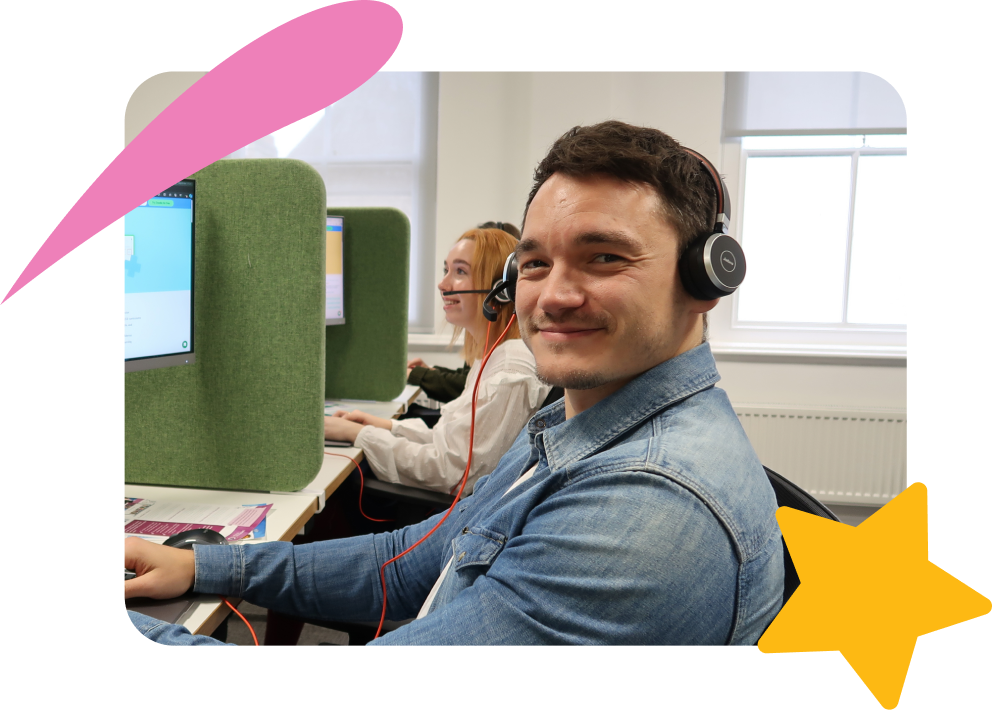
Book a quick chat with one of our Education Consultants (a team of former teachers) to see Doodle in action, and get set up with free access to experience it yourself.
If you’d prefer to take a look in your own time, try our 5-minute digital tour to see the key features and actionable insights available in our Teacher Dashboard.